A corporate campus can have hundreds of employees working across different buildings, departments, and shifts. Keeping everyone close to convenient food and drinks is not always easy. Cafeterias have operating hours, traditional vending has limited space, and leaving the campus takes time.
Smart store solutions offer another option. These cashless, self-service stores give employees access to fresh food, snacks, and drinks throughout the day without requiring a staffed checkout.
For Memphis corporate campuses, they can provide a flexible refreshment option that works across shifts while reducing the day-to-day work required from facilities teams.
What Are Smart Store Solutions?
A smart store is an automated retail space located inside a workplace. Employees enter the store, choose what they want, and complete their purchase without a cashier.
Depending on the system, checkout may use self-service technology or more advanced tools such as computer vision and AI-assisted product recognition.
The concept builds on micro markets. NAMA’s micro market overview describes micro markets as unattended retail environments where customers browse products and complete purchases through self-checkout.
Smart stores can take this model further by making checkout even more streamlined. For a large campus, that can mean quicker access to refreshments without operating a staffed cafeteria throughout every shift.
Memphis employers can explore January Service Company’s smart store solutions to see how secure access, real-time tracking, and cashless purchasing work together.
Why Corporate Campuses Use Smart Stores
Food and Drinks Across Different Shifts
Large workplaces rarely operate on one schedule. Employees may arrive early, work overnight, or have breaks outside normal cafeteria hours.
A self-service store can remain available outside traditional food-service hours, giving employees another option when cafeterias or nearby restaurants are closed.
This can be particularly useful for manufacturing facilities, hospitals, distribution centers, and other workplaces operating multiple shifts.
A Workplace Perk Employees Can Actually Use
The most visible workplace perks are often the ones employees can use during an ordinary workday.
An on-site store gives employees somewhere convenient to grab lunch, a snack, or a drink without leaving the campus. Because the store can carry more variety than a traditional vending machine, the product mix can also reflect different preferences across the workforce.
Less Day-to-Day Work for Facilities Teams
Operating a staffed food service requires people, equipment, and ongoing management.
With a managed smart store, the provider handles areas such as installation, product stocking, inventory monitoring, and equipment support. Internal facilities teams still oversee the workplace, but they do not have to manage the store like an internal retail operation.
For more on how these systems work, read our guide to smart store technology.
Supporting Employee Wellness With More Choice
A workplace cannot control what employees choose to eat, but it can make a wider range of options available.
A smart store can carry healthy office food alongside traditional snacks and drinks. Depending on the program, that might include fruit, yogurt, protein snacks, salads, sandwiches, wraps, water, and lower-sugar beverages.
The CDC’s healthy food environment guidance discusses the role workplaces can play in making healthier food and beverage choices available.
Variety matters too. A useful product mix should consider dietary preferences, different shifts, and what employees actually purchase rather than following the same fixed menu indefinitely.
How Inventory Tracking Keeps the Store Running
Employees see stocked shelves and coolers. Behind the scenes, inventory tracking helps the provider understand what is selling and what needs attention.
Connected retail technology can provide information about product movement and inventory levels. Route teams can use that information to plan restocking and identify products that consistently sell faster than others.
Over time, the data can also reveal differences between shifts or days. Morning employees might prefer breakfast items, while an overnight team may buy different meals and snacks.
This information helps providers adjust the product mix instead of repeatedly stocking items employees do not want.
Businesses comparing unattended retail options should look at traffic, available space, security needs, desired product variety, and the type of checkout experience employees will find easiest to use.
Planning a Smart Store for Your Campus
A successful smart store starts with the location, workforce, and service plan rather than the technology alone.
Choose a Convenient Location
Place the store somewhere employees already pass during the day. Break areas, central corridors, lobbies, and high-traffic entrances can all work depending on the building.
For larger campuses, consider how far employees would need to walk from different departments or work areas. One central location may not serve every building equally well.
Build the Product Mix Around Employees
An office park, hospital, and manufacturing facility can have very different refreshment needs.
Consider headcount, shift schedules, dietary preferences, break times, and available space before deciding what to stock. Usage data and employee feedback can then help refine the selection after launch.
Plan the Service Model
Ask who monitors inventory, how frequently products are restocked, and what happens when equipment needs attention.
Facilities teams should also understand how food areas will be maintained. OSHA’s sanitation requirements provide relevant standards covering workplace food consumption areas, drinking water, and sanitation.
Having these responsibilities established before launch prevents confusion later.
Explain the Store to Employees
Before opening, explain where the store is located, what employees can buy, how payment works, and where they should report a problem. Feedback during the first few weeks can also help identify products employees want added or removed.
Smart Stores vs. Traditional Vending
Traditional vending still works well in many workplaces. January Service Company’s vending solutions take up relatively little space and can provide convenient snacks and drinks without requiring a larger retail area.
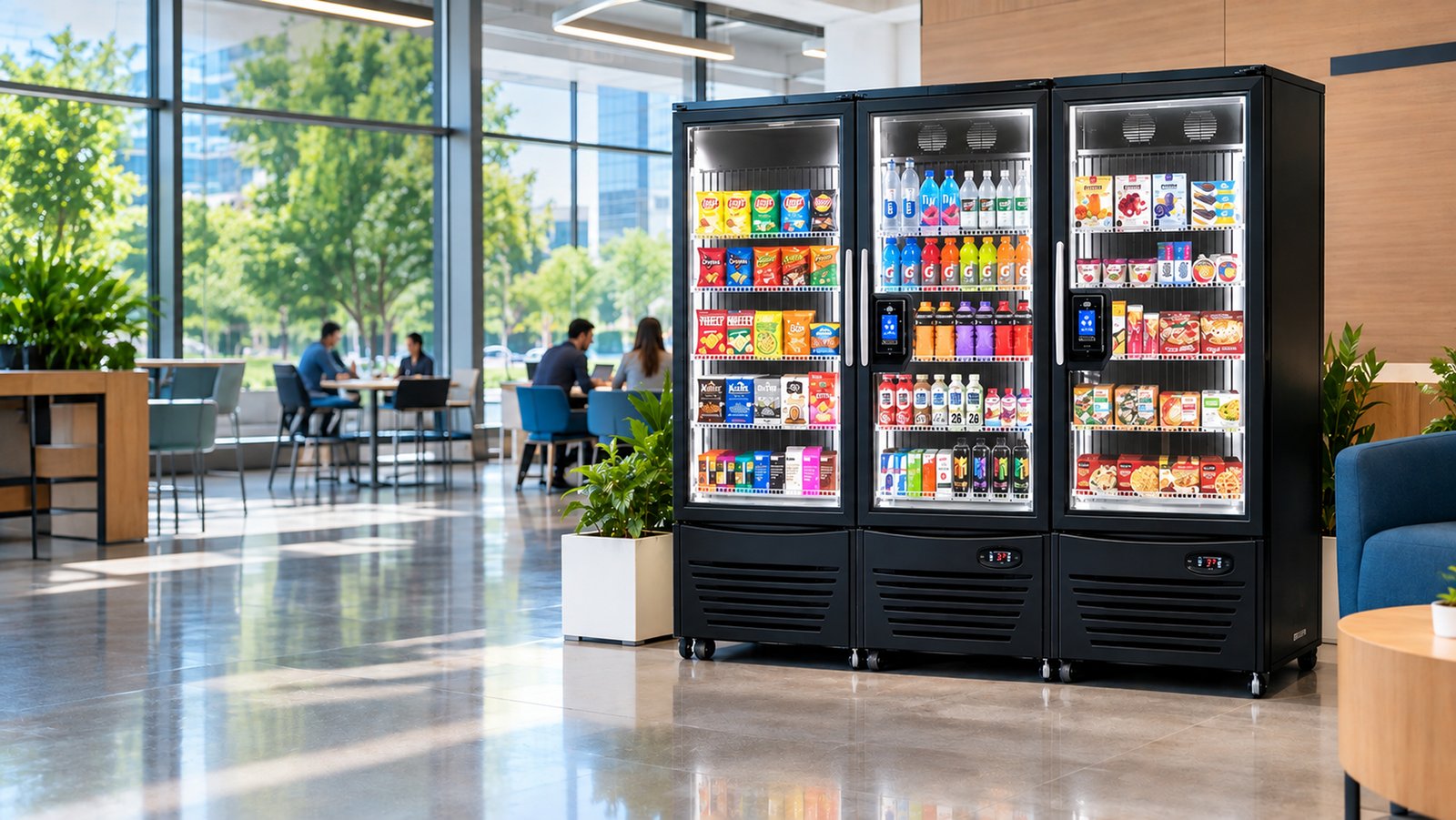
Smart stores are useful when a workplace wants greater variety. Open shelves and coolers can accommodate fresh meals, larger products, and more beverage options than a standard vending machine.
The better choice depends on headcount, available space, budget, employee traffic, and the types of products the workplace wants to offer.
Some campuses may even use both, placing vending machines in smaller buildings while using a smart store in a central high-traffic area.
Why January Service Company?
January Service Company has served the Mid-South since 1982 and provides workplace refreshment services for businesses across the Memphis area.
Smart store programs can be planned around workforce size, available space, shift schedules, and employee preferences. January Service Company can also manage stocking and ongoing service so internal teams are not responsible for running the store themselves.
For campuses using multiple refreshment options, working with one local provider can also make it easier to coordinate smart stores, vending, food, and other break room services.
Give Your Campus a More Convenient Refreshment Option
The right smart store solutions give employees convenient access to food and drinks while reducing the amount of day-to-day management required from the workplace.
Start by looking at employee traffic, shifts, available space, and the products your workforce actually wants. From there, a provider can recommend a store layout, product mix, and service schedule that fits the campus.
Call January Service Company at (901) 373-4433 to discuss smart store options for your Memphis workplace.