
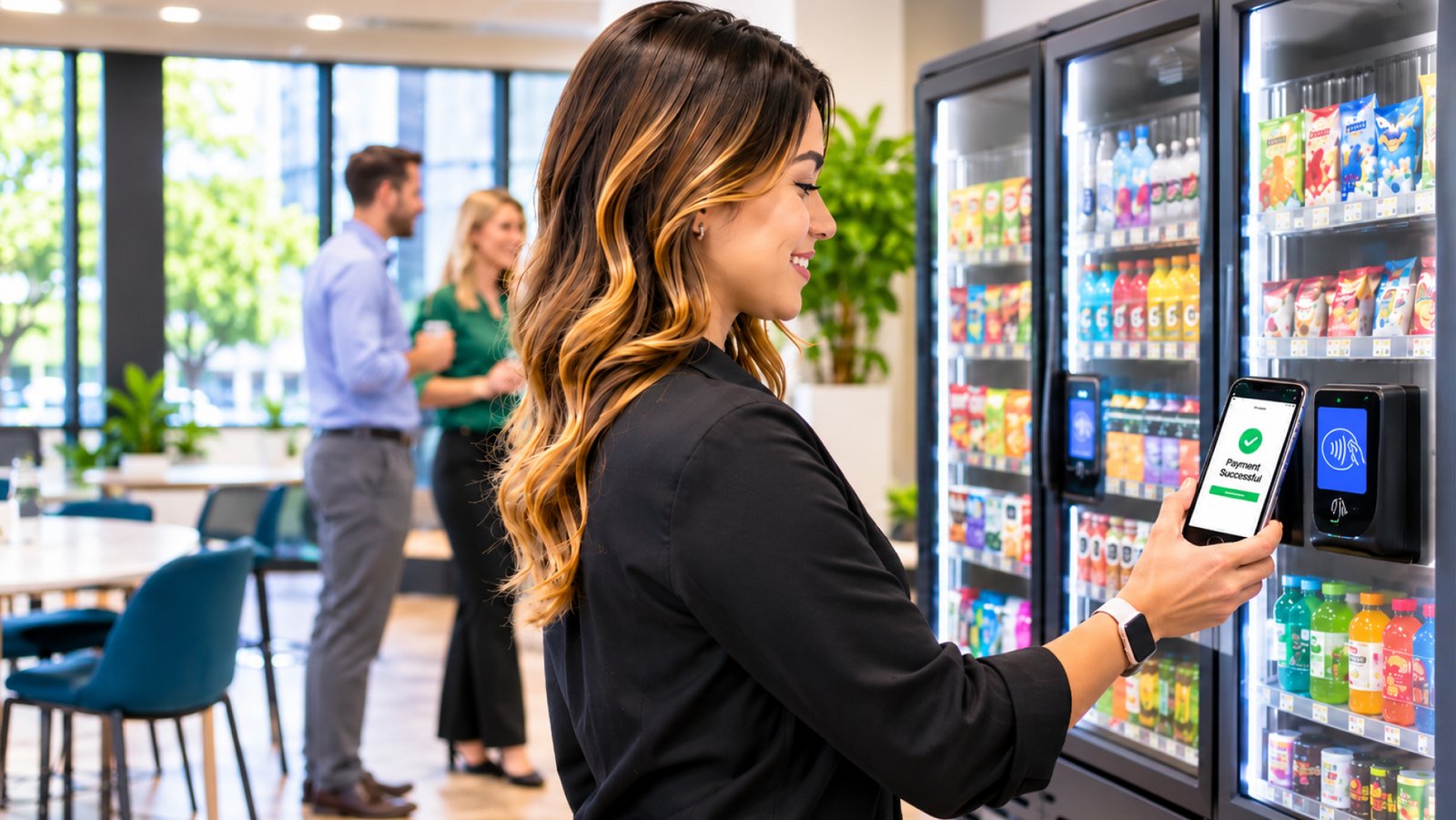
Employees rely on their phones for ordering lunch and paying for everyday purchases, and their breakroom habits are changing too. They want quick payment, convenient product browsing, and simple checkout. For businesses researching vending machines for sale, mobile app compatibility is an increasingly useful feature to compare.
Connected technology is changing how employees use an employee vending machine or workplace micro market. Apps can simplify purchases, support rewards, and give operators insight into product demand. Memphis-area facility managers should understand these features when comparing equipment.
From Coins to Taps: How Employee Payment Habits Have Shifted
Traditional vending machines relied on cash. Buying a snack or drink could be inconvenient when employees did not have the right coins or bills.
Today, many machines support credit and debit cards, as well as contactless digital wallets. Mobile payments give employees another way to buy refreshments without carrying cash.
The shift is reflected in industry data. According to Cantaloupe’s 2025 Micropayment Trends Report, 96% of micro market transactions and 100% of Smart Store transactions recorded in its 2024 data were cashless. The findings illustrate how important electronic payment options have become in self-service retail.
Payment flexibility therefore deserves attention when comparing equipment. January Service Company’s vending services include modern solutions with cashless options for different workplaces.
What Employees Can Do in a Workplace Vending App
A workplace vending app can offer more than a way to pay. Depending on the provider and equipment, employees may be able to:
- Browse available products and promotions.
- Pay through a mobile account or digital wallet.
- Scan product barcodes and complete purchases.
- View transaction histories and digital receipts.
- Earn points or redeem loyalty rewards.
- Receive announcements about new products and offers.
Not every app includes all these features. Some focus on payments; others connect several services through one account.
For example, 365 Retail Markets explains its 365Pay mobile platform, which supports mobile checkout, stored-value accounts, rewards, and purchases across compatible vending machines and micro markets. Employees can use a connected account across supported locations rather than managing separate payment methods for every machine.
Facility managers should match app features to workforce needs. A simple payment app may suit a small office, while a larger facility may benefit from rewards, announcements, and connected market access.
The Smart Vending Technology Behind the App
The app is only one part of a connected vending system. Supporting technology can collect sales information, track inventory, and help service teams identify when machines need attention.
Depending on the equipment, operators can review sales, identify popular items, and monitor stock remotely. These insights can improve restocking decisions instead of relying only on scheduled visits or manual checks.
If bottled water sells quickly on one shift, sales records can help adjust replenishment. Slow-selling snacks can be reconsidered.
January Service Company’s vending technology and cashless payment solutions provide more information about the connected features available through its breakroom services. The exact capabilities depend on the equipment and system installed at each location.
Mobile Apps Inside a Workplace Micro Market
Mobile apps are also changing the workplace micro market experience. Unlike traditional vending machines, micro markets let employees browse open shelves, select products, and check out independently.
A typical setup uses a self-checkout kiosk where employees scan products and pay at a shared terminal. Some systems also offer checkout by phone.
Vending Market Watch’s coverage of app-based micro-market technology discusses how mobile self-checkout can reduce reliance on shared kiosks and help employees complete purchases through their own devices.
This can help during busy lunch periods, but app-based checkout is not right for every workplace. Consider employee comfort with mobile payments, connectivity, and whether a kiosk or card terminal should remain available. Businesses can also review January Service Company’s micro market solutions when comparing self-service options.
What to Ask Before Buying or Leasing a Machine
Searching for vending machines for sale is only the first step. Payment compatibility, software support, and maintenance all affect long-term usefulness.
Before buying or leasing, ask the provider these questions:
- Which payment methods are supported? Check for credit and debit cards, contactless payments, and compatible mobile wallets.
- Does the system support an app? Find out whether employees can pay, browse products, or access rewards through their phones.
- Can inventory and sales be monitored? Ask what reporting tools are included and how frequently information is updated.
- Who manages software updates? Confirm whether the provider handles platform maintenance and compatibility changes.
- What happens when a payment fails? Employees should have a clear way to report transaction issues and request assistance.
- Who handles repairs and restocking? Understand the service arrangement before committing to equipment.
These questions matter when comparing cashless vending solutions. One machine may accept contactless payments but lack an app or inventory reporting; another may offer more features for an added fee.
Compare the complete setup, not just the payment terminal.
Loyalty, Rewards, and Repeat Visits
Mobile apps may also offer loyalty features such as points, discounts, promotions, or rewards after a set number of purchases.
An office might offer a discounted coffee day or a limited-time snack promotion. These incentives can draw attention to products employees may not have tried.
Check whether loyalty features are included or cost extra. Also consider whether employees want another app or prefer simple card and mobile-wallet payments.
What Connected Machines Mean for Employers
Connected vending can improve operations as well as the employee experience.
Digital sales records reveal purchasing patterns, while inventory information supports product planning. Remote monitoring may also flag equipment issues before a service visit.
These tools can show whether the product range meets employee preferences. Operators can respond when popular items sell out and others remain untouched.
Benefits depend on the features available and whether information is reviewed. Ask what the provider monitors, which reports are available, and how insights affect service.
Getting Employees to Actually Use the App
Even a well-designed app needs employee participation. Explain its benefits clearly before asking staff to download it.
A few practical steps can help:
- Introduce the app: Explain its payment, rewards, or product-browsing features.
- Display a QR code: Place clear instructions near the vending machines or market entrance.
- Demonstrate the process: Show employees how to register, add a payment method, and complete a purchase.
- Offer a simple incentive: If the platform supports promotions, consider a small introductory offer.
- Keep another payment option: Maintain card or contactless payment access for employees who do not want to use an app.
The goal is convenience, not requiring a smartphone to buy refreshments.
Build a More Connected Workplace Breakroom
Mobile apps make vending payments, shopping, and rewards more accessible. Memphis employers comparing equipment should consider payment flexibility, inventory reporting, software support, and employee preferences.
The right system should fit the workplace rather than add unnecessary complexity. January Service Company helps local businesses evaluate vending and breakroom options based on their teams and facilities. Contact the team to discuss a setup that supports a convenient, reliable employee refreshment experience.